I spent this July weekend doing something I haven’t done in a while - completely tearing apart how I work and rebuilding it from scratch!
This all stems from Kun Chen’s Agentic Workflow video.
His whole philosophy centers on flow, and on an AI-first approach to software engineering. I went in skeptical but came out inspired - and with a realization: I am probably never going to outpace an agent in raw coding output. What am I actually good at and passionate about?
For me, that’s developer experience, workflow, and planning.
Why I left the editor
I’ve been an Emacs guy for a while now.
I came from Neovim, and although I love that editor, the ecosystem was exhausting. Every plugin came with its own keybinds you had to learn from scratch. The Neovim community was notorious for reinventing the wheel - a new package manager every few months, a new file picker because the last one lost its maintainer. Super frustrating when you just want to stay productive.
Emacs solved all of that.
The packages are tried and true, everything is a first-class buffer, and with evil-mode I kept all the Vim muscle memory I’d spent years building.
As I dove deeper I fell harder - Emacs is less of an editor and more of an elisp interpreter where the main interface is text.
It really is more OS than editor. I loved it.
Then Claude Code came out and I tried to run it inside Emacs via claude-code-ide.el.
It worked, kind of.
But I kept running into friction: rendering issues, keybinding conflicts, and the claude-code buffer being coupled to whatever project I had open in Projectile.
Switching context meant fighting the tool.
After watching Kun Chen’s video I decided to flip the model entirely - terminal-first, with Emacs as a companion rather than the host.
The happy medium
The setup I landed on is simple: Claude Code lives in the terminal, in tmux. Emacs stays running as a daemon in the background. When I want to look at a file, I use a small shell script that pops it open in the existing Emacs frame instantly:
emacsclient -n -a '' "$@"
emacsclient -e '(select-frame-set-input-focus ...)' >/dev/null 2>&1
No context switch, no new window to manage. The file just appears in Emacs, which is where I want to read code anyway. Best of both worlds.
What I actually built
tmux, tuned to my Doom reflexes
The whole point of going terminal-first is being able to run multiple Claude CLIs at the same time across multiple windows. Kitty supports native tabs so I considered that, but I’m way more experienced with tmux and honestly tmux is just so much more customizable.
I rewrote my ~/.tmux.conf from scratch.
The goal was to make tmux feel like Doom Emacs’ workspace system so there’s zero relearning cost when I’m spinning up agents.
New prefix is C-Space (was C-b).
Navigation follows Doom-style leader key tables: C-Space w for panes, C-Space TAB for windows, C-Space s for sessions.
The concept mapping is direct: Doom split = tmux pane, Doom workspace = tmux window, tmux session = project/agent-fleet.
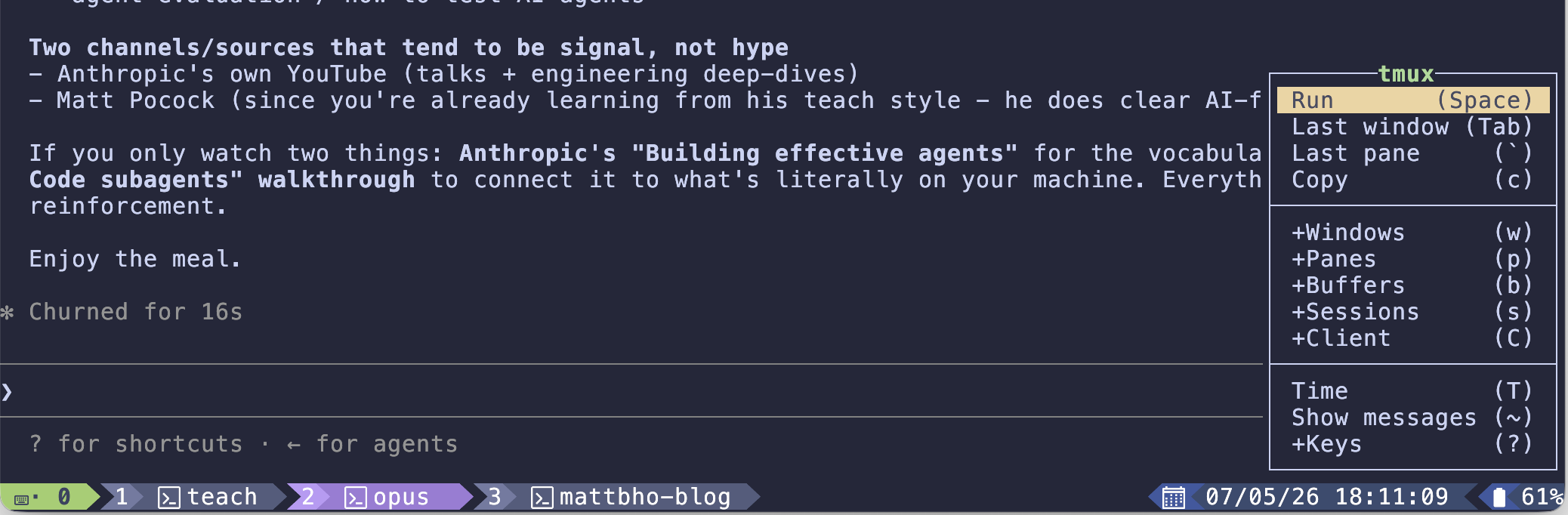
Figure 1: tmux which-key popup showing the Doom-style leader table - +Windows, +Panes, +Sessions all one key away
Update: I’ve since moved off tmux entirely in favor of herdr (see below). The keybind mapping was a fun exercise but herdr just solves the multi-agent problem better out of the box.
Notifications and agent visibility with herdr
This whole section used to be about a custom notify.sh hook I wired up with osascript - pretty proud of it at the time.
But I’ve consolidated the whole problem by switching to herdr, a multiplexer that is agent-aware from the ground up.
The big thing herdr gives me is a persistent side panel showing every agent currently running, labeled by space and tab. At a glance I can see exactly what’s active and where - no custom scripting, no hook wiring, no osascript. It just knows.
It also supports worktrees and I suspect there’s a lot more I haven’t dug into yet. I’ll write more once I’ve had more time with it.
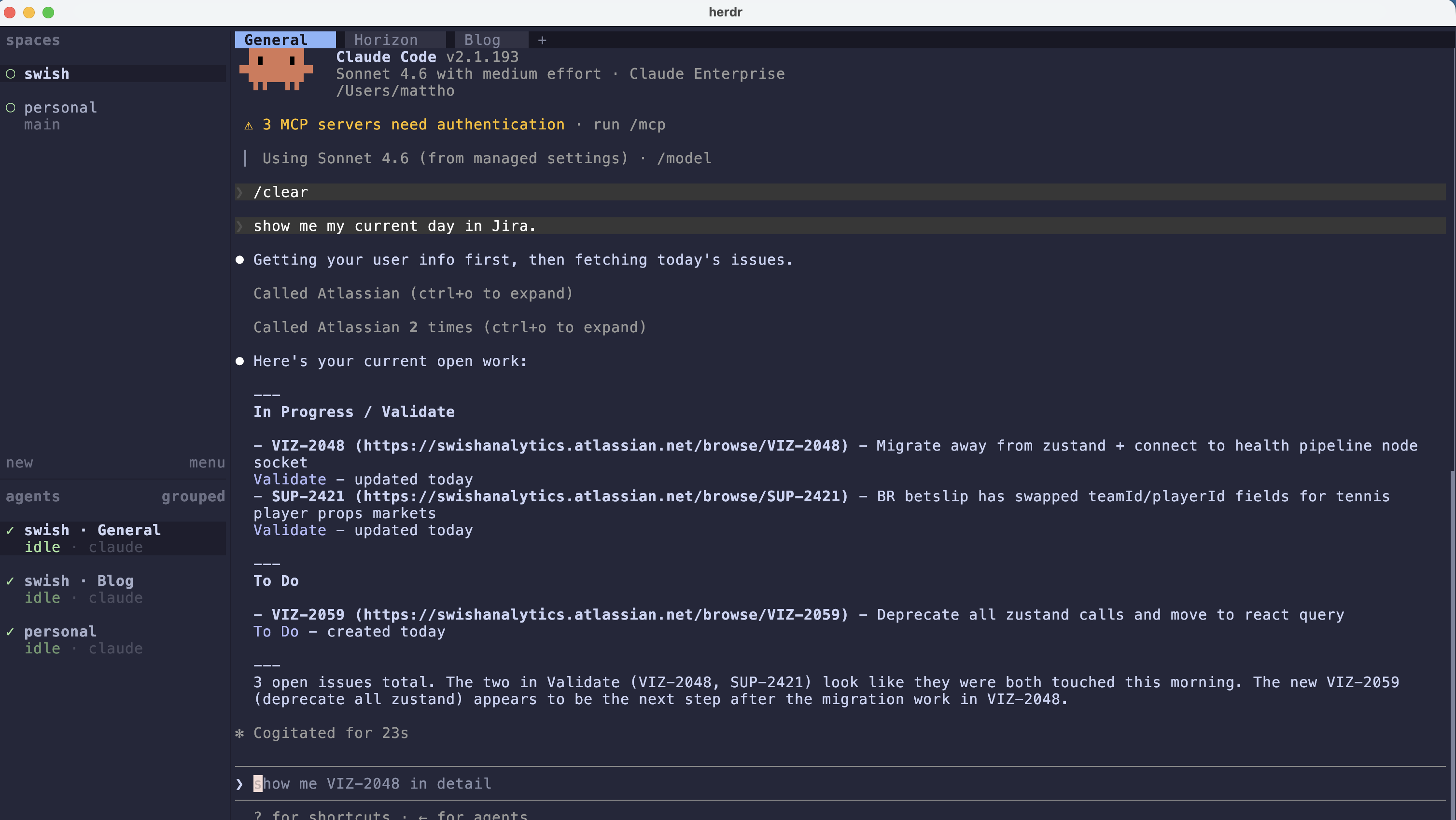
Figure 2: herdr showing three agents across two spaces - swish General, swish Blog, and personal - all labeled and visible at a glance
The notifications are agent-aware too. When an agent finishes, you get a nudge that shows the space and tab it came from - and clicking it jumps you straight to that agent.
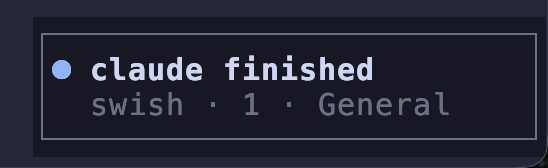
Figure 3: herdr notification - clickable, takes you directly to the agent that posted it
AXIs - Agent Experience Interfaces
This was Kun Chen’s framing and I thought it was pretty cool.
AXI’s from what I understand are just suped up mcp’s which wrap everything using TOON which makes token usage more efficient. (We’ll see lol)
I’m running two right now.
lavish (the one I love the MOST) generates rich interactive HTML artifacts directly in the browser. With this, I can physically annotate sections of the artifact and send feedback back to the agent from inside the page. This literally makes the feedback look way way more pleasing to the eyes and it’s very seamless as I’m able to add feedback to every single element on the screen.
The tmux plan above was built entirely through lavish.
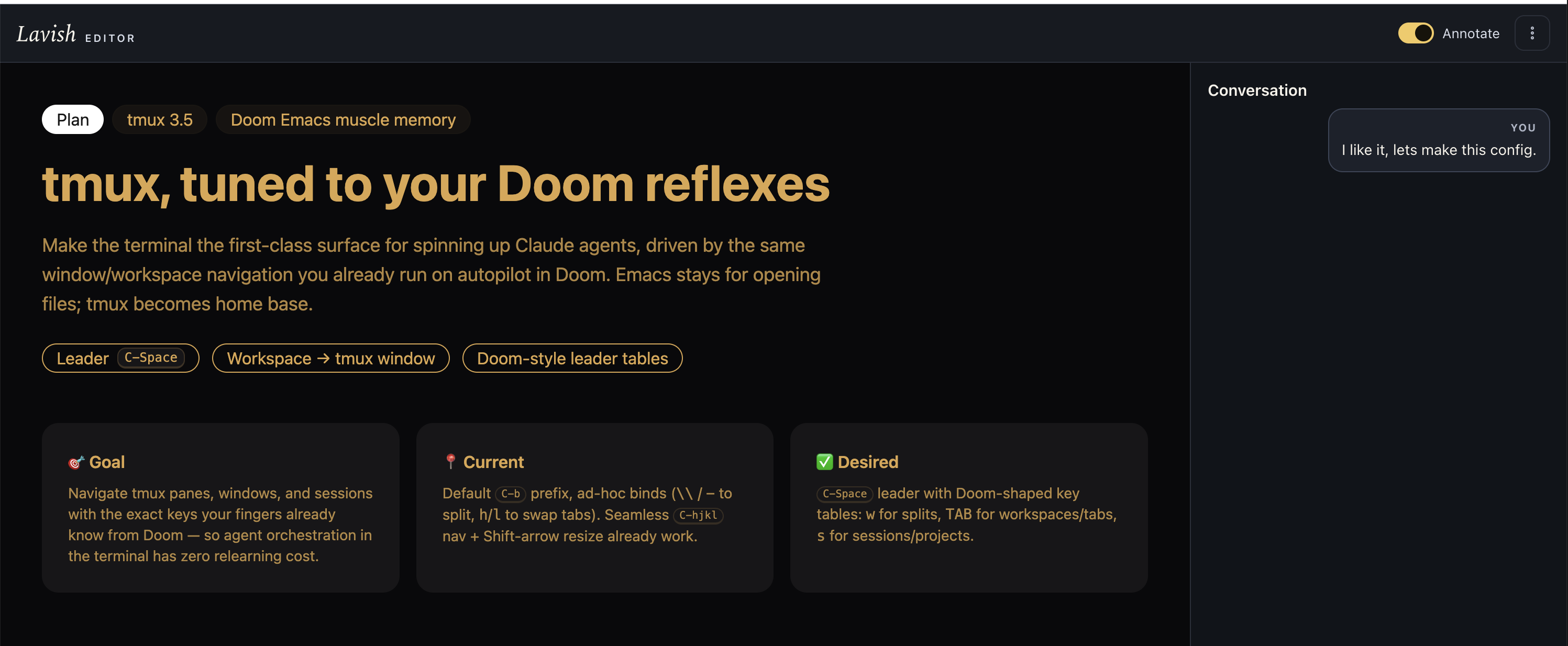
Figure 4: lavish in action - the tmux config plan with my feedback visible in the conversation panel
gh-axi this just wraps the github cli, apparently its more efficient, but we shall see lol.
Skills I borrowed from Matt Pocock
Two of my custom skills came straight from Matt Pocock’s workflow.
/handoff is the one I use constantly.
The idea: I have a token cap at work, so I want to plan with Opus (the high-thinking model) and then hand that plan off to a fresh Sonnet agent without losing any context.
The handoff skill saves the session state - what we were doing, what’s done, what’s next, any non-obvious constraints - to a markdown file.
/pickup loads it back in a new session.
It sounds simple but it makes the Opus → Sonnet transition feel completely seamless.
/teach generates structured, opinionated lessons on whatever you point it at - in a nice and shiny UI which idk if it helps me actually learn better or not but it is fun.
I’ve been using it to get up to speed on Claude Code internals.
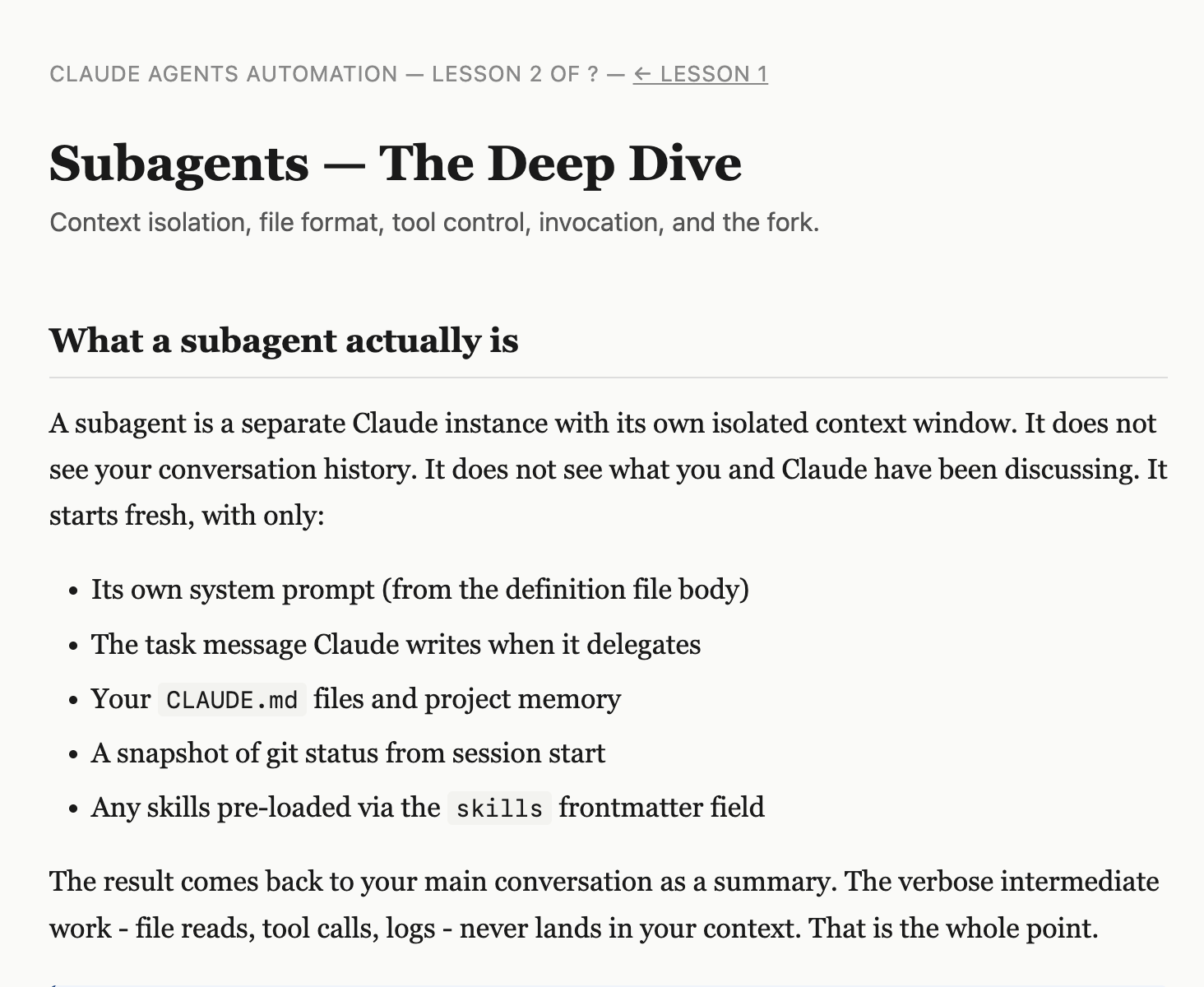
Figure 5: The /teach skill running a lesson on Claude agent primitives
Voice with OpenSuperWhisper
I’m still early with this one. I’m a mechanical keyboard person - the creamy clacks are non-negotiable - and I still love typing. But prompting an agent with my voice while I think out loud? Makes me feel like Iron Man, mannn.
What’s next
Everything I’ve built so far is optimized for a single agent loop - one Claude, one task, one window. What I want to get into next is stuff like agent teams: spinning up multiple specialized agents in parallel, each with a clear role, and orchestrating them like a fleet.